
Spark Logic

Porting Marlin to STM32.

victor_pv Thu Jun 29, 2017 4:39 pm

UPDATED 10/26/2017:
In the last 2 days xC000005 and me have completed successful prints with Marlin for STM32F1, with the stm32duino-libmaple core, he printed a cat, and I printed a little Yoda-Budha.
During tests I was able to get about 50000khz pulses as max speed, which seems inline with other 32 bit platforms, and much faster than most printers should ever need. Which means at slower rates we have quite a few CPU cycles left to do other things.
We haven’t start with the LCD parts, but so far ADC, steppers and sdcard work, so printing from a computer is fully functional.

UPDATED 07/07/2017:
First version of my port to libmaple based cores. Should work on an F4 too, but so far I have just tested it with the F1, and only that it runs and there is serial communication, but not the steppers driving or the SDCard.
Compiled with Sloeber 4.1 and gcc 4.8.3. Should compile in the Arduino IDE but not tested.
I have tested it with an RCT6 MCU, but should fit fine in a maple mini as far as RAM and Flash
https://github.com/victorpv/Marlin-STM32-libmaple

==============================
Original post.

I’m starting this new thread to document the effort of porting Marlin to stm32 arduino cores.
-Shield with stepper connections etc, RAMPS can be modified:

-Boards: too many to list

  • My effort will go first to libmaple. Chriss Bar has a version based on STM32GENERIC core. Both cores work on some F1, F3 and F4 MCUs

-Software:
There are at least 2 ports running in STM32.

My plan:
Take Chriss code and make it compile in sloeber.
Once so, take it to Danieleff core, and make it compile and resolve any issue.
Test it with a Nucleo board and generic boards.
Add HAL for libmaple core

All the above should be feasible from a first look at the code.
We already have:
-Arduino compatible pin functions.
-Arduino compatible spi functions.
-Arduino compatible ADC functions (with more resolution, may need to trim)
-PWM functions (even if with some different parameters and setup than Arduino, still same functionality or more)

What needs to be done:
-Go thru each file in the HAL and modify/optimize for stm (just a few things)
Stepper control
Temperature probes and hotbed control
Memory usage.
Pin access.
Timers setup and usage.

Replies

youprint Tue Feb 06, 2018 11:27 am

I finally successfully compiled Marlin on a f103re and on a f103ze. It seems to work. I had to disable the EEPROM emulation function and I modified a little bit the Hal spi hardware.
Now I can connect to my stm32 via pronterface 8-)
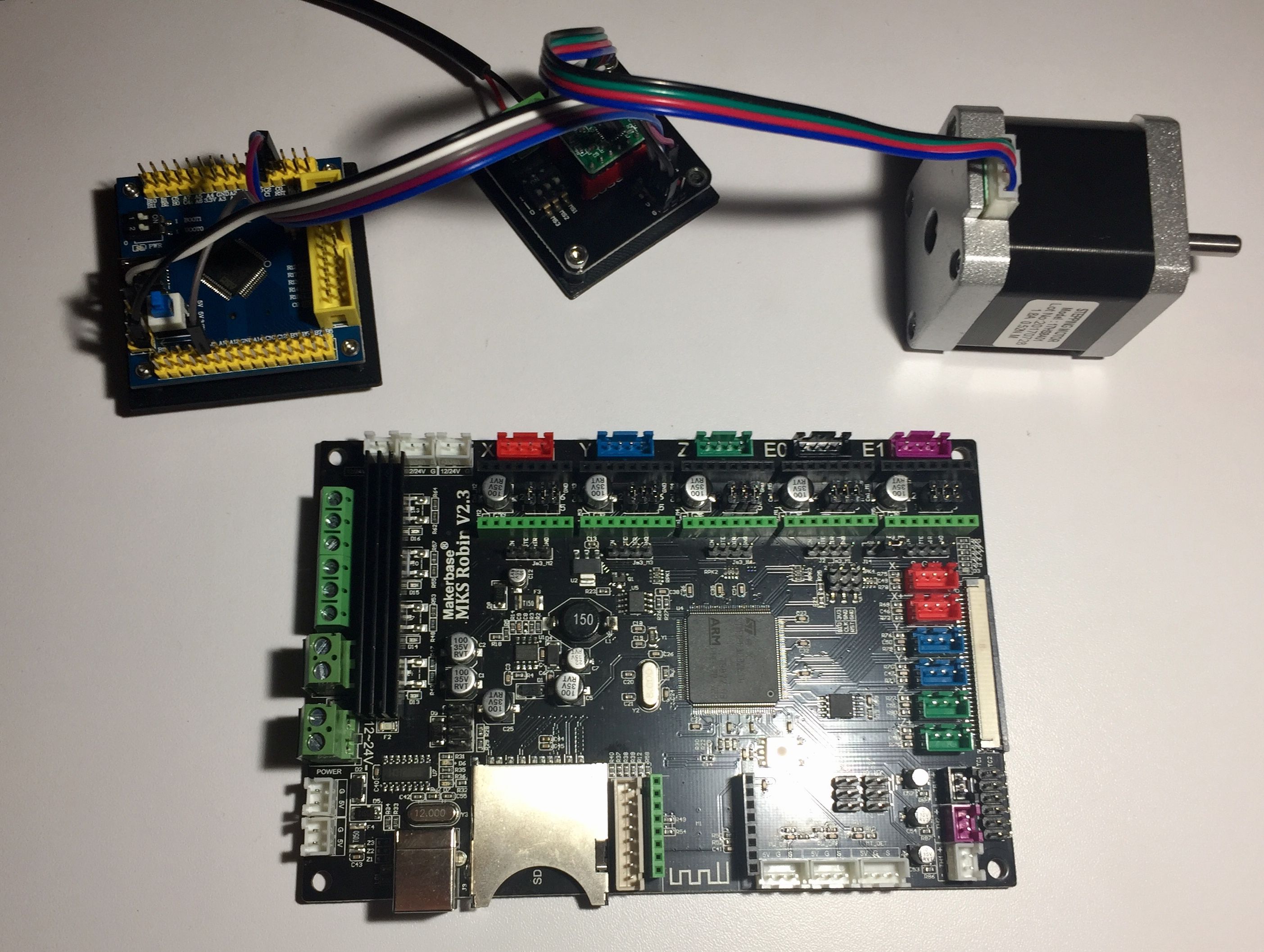
I’m preparing a test board now :
Image
I’m going to try to test with L6470 too
Thanks so much Victor for your HAL, it’s going to have a great success because it’s the most promising platform for Marlin 2.0. A stm32 chip is cheaper and powerful than an AVR. we could expect to use the blue pill for minimal configuration. This is amazing!

victor_pv Tue Feb 06, 2018 4:27 pm

Youprint the spi was modified by someone else in Marlin and I didn’t get a chance to test those changes yet. Since you got it working, please remember to submit the change to Marlin so it gets corrected.

I’m glad that you work it working. I have tested it successfully with VET and ZET mcus.

youprint Tue Feb 06, 2018 7:38 pm

There is a small pb with spi but I think you will find the solution quickly when you will have time for that. I mixed your repo and the official repo to get it work because on your repo there is a pb with HAL timers. I spend 3 days but it’s compiling now. Tomorrow i’m Going to test motors and limit switches. If everything is ok I will try it on my test printer. I hope to get SPI work because I really like spi drivers like L6470.

victor_pv Tue Feb 06, 2018 10:21 pm

[youprint – Tue Feb 06, 2018 7:38 pm] –
There is a small pb with spi but I think you will find the solution quickly when you will have time for that. I mixed your repo and the official repo to get it work because on your repo there is a pb with HAL timers. I spend 3 days but it’s compiling now. Tomorrow i’m Going to test motors and limit switches. If everything is ok I will try it on my test printer. I hope to get SPI work because I really like spi drivers like L6470.

I have used an SPI port with the SDcard without any issue. All SPI ports should work, unless some other part of marlin is broken by those updates.

youprint Wed Feb 07, 2018 5:08 am

Thanks for the info Victor, I m going to have a try with a Sd reader to test SPI. I was surprised to see someone adding code without testing it (3rd January) but I think it’s only a syntax Pb with STM32duino SPI libs.
https://github.com/MarlinFirmware/Marlin/pull/9019

I have a RepRap Discount LCD and a 12864 too so I think I.m going to try it but it’s coming from Arduino so I have to check if I need to level some signals.
Working on a MKS Robin with an STM32F103ZET6 to install the Arduino Bootloader. Apparently the chip is locked, I can’t unlock it with a Jlink V8 in SWD so I have to try with a Jlink V9 or with a BMP.
Image

I saw a HAL F7 now which it’s working, only a F4 HAL is missing and we will have all the STM32 family of products.

I’m going to start on a project with LinuxCNC, since it can support 3Dprinter. My objective is to use a Raspberry pi in master with an STM32Fxx in slave mode to allow rpi access to fast IO of the STM chip via SPI. It already been done with an FPGA (Spartan 6 via SPI) but it could be cheaper with a Blue Pill and the driver for FPGA could be a really good start. All i need is a good HAL for the STM, so I need to learn more… ;)

Sign in to reply